
Power surges and brownouts: protecting electronics, the UPS layer, and what actually dies
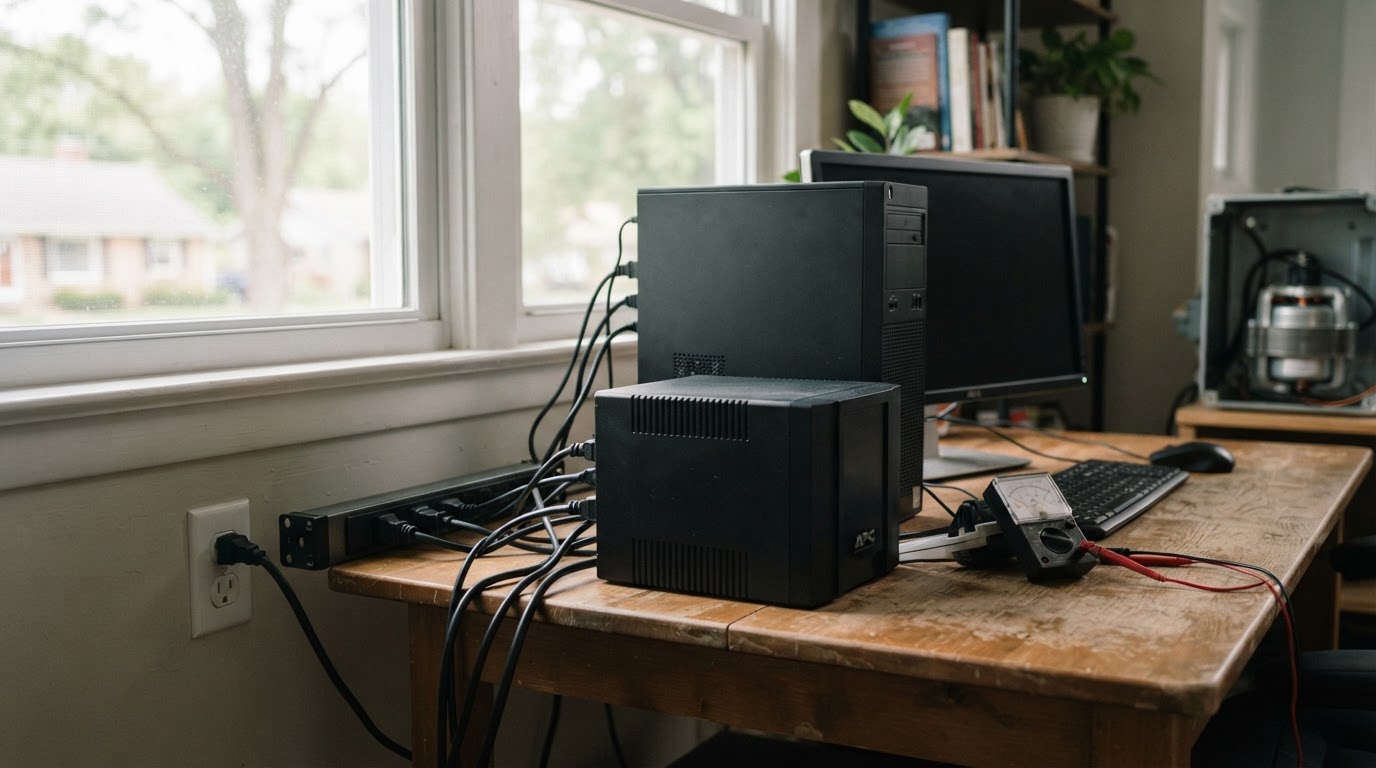
Surge protector or UPS? What brownouts do to fridge motors, what dies when the grid comes back, and the protection stack that can save your electronics.
This article contains affiliate links. If you buy through these links, we may earn a small commission at no extra cost to you.
The damage usually happens when the power comes back, not when it goes out. As crews re-energize a circuit, voltage can spike before it settles, and everything plugged in is exposed to whatever rides in. Utility storm checklists tell you to unplug sensitive electronics while the lights are off for exactly this reason.
Brownouts are the slower hazard. A sag below the normal 120 volts does not spark or trip anything, but it stresses the loads that run on motors, and it is the reason a fridge can come out of a rough grid week worse than it went in.
The protection stack has three layers, in the order it pays off: a surge protector for the outlets that feed expensive electronics, a small UPS for the devices that must not blink, and a plug-in meter so you size both from measured numbers instead of guesses.
What actually kills electronics
Two different problems get called a power surge.
A surge is a fast spike in voltage, measured in milliseconds. Lightning causes the dramatic ones, and a strike does not have to hit your house: it commonly reaches electronics by traveling in on power and utility lines. The rest are born inside the grid and inside the home, from utility switching to the cycling of big motors like an air conditioner.
A brownout is the opposite: voltage that sags and stays low for minutes or hours. Electronics with modern switching supplies, laptops and phone chargers among them, often ride out a mild sag without complaint. Motors do not. When voltage drops, a motor draws more current to deliver the same work, and the extra current becomes heat in its windings. That is why brownouts are hardest on the fridge, the air conditioner, the well pump, and the sump pump.
Surge protector, UPS, or conditioner?
A surge protector is a one-way valve. It sits between the wall and your electronics and diverts spikes to ground before they reach the device. It has no battery and keeps nothing running. Its rating is in joules, the energy it can absorb before it sacrifices itself; the higher the number, the more hits it can take. The Tripp Lite TLP808B Surge Protector is a clean version of the class: 1,440 joules, eight outlets, a flat plug that sits close to the wall, about $35. Two caveats: a cheap power strip with no joule rating is not a surge protector at all, and a protector that has absorbed a big hit may be spent even though it still passes power. Scope matters too, since a point-of-use strip protects only what is plugged into it; a panel-level device installed by an electrician covers the fixed appliances you cannot unplug.
A UPS is a surge protector with a battery. It rides your devices through the short blips that would otherwise reboot them, and it buys minutes to save work and shut down cleanly when an outage is real. Many units also do automatic voltage regulation, trimming brownout sags without draining the battery. The CyberPower ST425 Standby UPS Battery Backup (about $60) is sized for the router-and-modem job: 425VA with a 260W rating, eight outlets, UL certified. Plug the modem and router into its battery-backed outlets and a five-minute flicker stops being an event. The battery is a consumable, though; expect to replace it every few years.
A line conditioner or AVR strip is the in-between option: it smooths sags without a battery, which helps in areas with chronic brownouts but does nothing for an actual outage.
Size the UPS from measured watts
VA is not watts, and the gap matters. The ST425 above is a 425VA unit, but its watt rating is 260W, and the watt number is the one to compare against your load. A router and modem together draw a trickle, which is why a small UPS can run them for hours. A desktop plus a monitor is many times that load and buys minutes, not hours.
To stop guessing, measure. The P3 P4400 Kill A Watt Electricity Usage Monitor (about $31) plugs into the wall and reports true watts at the outlet, so you can add up what you plan to back up before you buy anything. It also exposes the quiet loads: the modem that draws more than you expected, the TV that pulls power even when it is off.
What dies first when the grid comes back
Ranked by what gets reported: the device that was on and mid-task when the spike arrived, then the big motor loads that took the brownout, then the cheap power supplies in things you forgot were plugged in.
The drill when power returns:
- Give it a minute. Voltage can bounce while crews finish switching circuits; the downed power line guide covers the same moment from the safety side.
- Reconnect the expensive things last, after the lights have held steady for a few minutes.
- If you have a meter, confirm a steady 120 volts at the outlet before the desktop or TV goes back on.
- Then check the fridge; the next section explains why it takes the hit.
The fridge is the appliance a brownout hurts
Food safety has a number: USDA guidance is that a closed refrigerator keeps food safe for about four hours without power, and our keep-or-toss guide walks the full list. The protection angle is simpler. Keep the door closed, and put a thermometer inside so you know the moment the fridge crosses 40°F instead of guessing. The AcuRite Wireless Fridge and Freezer Thermometer… (about $28) sends the reading to a display you can leave on the counter and alarms at the threshold you set.
After a long brownout, most compressors have overload protection that resets on its own; what shortens a compressor's life is repeated low-voltage running, not one event.
The short version
Protect in this order: a surge protector for the outlet bank that feeds the expensive stuff, a small UPS for the router and modem, a thermometer in the fridge, and a meter if you want to size anything bigger from measured draw. The four items here come to a little over $150, less than the replacement cost of almost anything they protect. For the multi-day side of an outage, the power outage survival guide picks up where this stack leaves off.
Frequently asked questions
Does a surge protector help during a brownout?
No. A surge protector only handles fast voltage spikes, and a sustained low-voltage brownout passes straight through it. Correcting a sag takes automatic voltage regulation, either in a UPS or in a dedicated AVR strip.
What should I unplug when the power goes out?
The electronics you would hate to replace: desktops, TVs, game consoles, and anything with a motor you can reach. Utility guidance is to unplug them while the power is out and reconnect after the lights have held steady, because restoration is when surges ride in.
How long will a small UPS run a router?
Hours, not days. A router and modem together draw only a trickle, so a 425VA/260W unit runs them for hours. The same battery backs a desktop plus monitor for minutes. It bridges blips and short outages, not multi-day ones.